Back to integrations
Connect DataForSEO Labs API with 1000+ apps and services
Unlock the full potential of DataForSEO Labs API and n8n’s automation platform by connecting DataForSEO Labs API’s capabilities with over 1,000 apps, data sources, services, and n8n’s built-in AI features.
Need something that’s not covered yet?
Use n8n’s pre-authenticated HTTP Request node to create new connections, giving you the flexibility to build powerful automations on any stack.


Created by
DataForSEO Labs API
Last update
2 days ago
DataForSEO Labs API integration
is built and maintained by our partners at DataForSEO Labs API and verified by n8n. That means it’s solid, safe, and ready to help you tap into some great capabilities.
About DataForSEO Labs API
DataForSEO makes it easy to access real-time SEO and marketing data without a complex setup. With our powerful APIs, you can pull search results, AI visibility data, keyword metrics, backlinks, and on-page insights directly into your workflows to automate any SEO task in minutes.
Related categories

Popular ways to use the DataForSEO Labs API connection
Find competitor keyword gaps and log opportunities to Notion with DataForSEO
Get new ranked Google AI Overview keywords via email with DataForSEO
Log new Google top-10 keywords to Airtable with DataForSEO and Slack alerts
Turn new high-volume ranked keywords into Asana tasks with DataForSEO
Track new Featured Snippet keyword wins via email with DataForSEO
Get Gmail alerts for dropped top 10 keyword rankings with DataForSEO
What can you build with DataForSEO Labs API?
Get Keywords For Site
Get a list of keywords relevant to the target domain
Get Related Keywords
Get keywords appearing in the "searches related to" SERP element
Get Keyword Suggestions
Get search terms that are relevant to the product or service categories of all the specified keywords
Get Keyword Ideas
Get search terms that fall into the same Google product or service category as the specified keywords
Get Keyword Difficulty
Get Keyword Difficulty for the specified keywords
Get Search Intent
Get search intent data for up to 1,000 keywords
Get Keyword Overview
Get current cost-per-click, competition values for paid search, search volume, search intent, monthly searches, SERP and backlink information for specified keywords
Get Historical Keyword Data
Get Google historical keyword data for specified keywords, including search volume, cost-per-click, competition values for paid search, monthly searches, and search volume trends
Get Categories For Domain
Get Google product or service categories that include keywords the domain ranks for in search
Get Categories For Keywords
Get Google product and service categories related for each specified keyword
Get Keywords For Categories
Get a list of keywords relevant to the specified product categories
Get Domain Metrics By Categories
Get dynamics of change in metrics of domains relevant to the specified product and service categories
Get Top Searches
Get a set of relevant keyword data with Google Ads metrics, product categories, and Google SERP data
Get SERP Competitors
Get a list of domains ranking for the keywords you specify
Get Ranked Keywords
Get the list of keywords that any domain or webpage is ranking for
Get Competitors Domain
Get a full overview of ranking and traffic data of the competitor domains from organic and paid search
Get Domain Intersection
Get keywords for which both specified domains rank within the same SERP
Get Subdomains
Get the list of subdomains of the specified domain, along with the ranking distribution across organic and paid search
Get Relevant Pages
Get rankings and traffic data for the web pages of the specified domain
Get Domain Rank Overview
Get ranking and traffic data from organic search for a domain
Get Historical SERPs
Get Google SERPs collected within the specified time frame
Get Historical Rank Overview
Get historical data on rankings and traffic of the specified domain, such as domain ranking distribution in SERPs and estimated monthly traffic volume for both organic and paid results
Get Page Intersection
Get the keywords for which specified pages rank within the same SERP
Get Bulk Traffic Estimation
Get estimated monthly traffic volumes for up to 1,000 domains, subdomains, or webpages
Get Historical Bulk Traffic Estimation
Get historical monthly traffic volumes for up to 1,000 domains collected within the specified time range through October 2020
Get Bulk Search Volume
Get search volume values for a maximum of 1,000 keywords in one API request
Get Related Keywords
Get keywords appearing in the "Related Searches" section on Amazon
Get Ranked Keywords
Get the list of keywords the target product ranks for on Amazon
Get Product Rank Overview
Get ranking data from organic and paid Amazon SERPs for the target products
Get Product Competitors
Get a list of products that intersect with a target asin in Amazon SERPs
Get Product Keyword Intersections
Get a list of keywords for which the target products intersect in Amazon SERP
Get Bulk Keyword Difficulty
Get the Keyword Difficulty metric for a maximum of 1,000 keywords
Get Bulk Traffic Estimation
Get estimated monthly traffic volumes for up to 1,000 domains, subdomains, and pages
Get Competitors Domain
Get a full overview of ranking and traffic data of the competitor domains from organic and paid search
Get Domain Intersection
Get the keywords for which both specified domains rank within the same SERP
Get Domain Rank Overview
Get ranking and traffic data from Bing’s organic and paid search for the specified domain
Get Page Intersection
Get keywords for which specified pages rank within the same Bing SERP
Get Related Keywords
Get keywords appearing in the “searches related to” SERP element
Get Relevant Pages
Get rankings and traffic data for the web pages of the specified domain
Get SERP Competitors
Get a list of domain rankings for the keywords you specify
Get Subdomains
Get a list of subdomains of the specified domain, along with the ranking distribution across organic and paid search
Get Bulk App Metrics
Get ranking metrics for up to 1000 Google Play applications
Get Keywords for App
Get a list of keywords for which the target app ranks on Google Play
Get App Competitors
Get a list of mobile applications that intersect with the target app for its ranking keywords on Google Play
Get App Intersection
Get a list of keywords for which the mobile applications specified in the app_ids object rank within the same Google Play SERP
Get Bulk App Metrics
Get ranking metrics for up to 1000 App Store applications
Get Keywords for App
Get a list of keywords for which the target app ranks on App Store
Get App Competitors
Get a list of mobile applications that intersect with the target app for its ranking keywords on App Store
Get App Intersection
Get a list of keywords for which the mobile applications specified in the app_ids object rank within the same App Store SERP
How to install DataForSEO Labs API and use it in your n8n workflows
Verified nodes need a quick setup by an instance owner first, but after that, everyone on the instance can start using them in their workflows. Learn more here.
Sign in to n8n, open the editor, and click + in the top right to open the Nodes panel
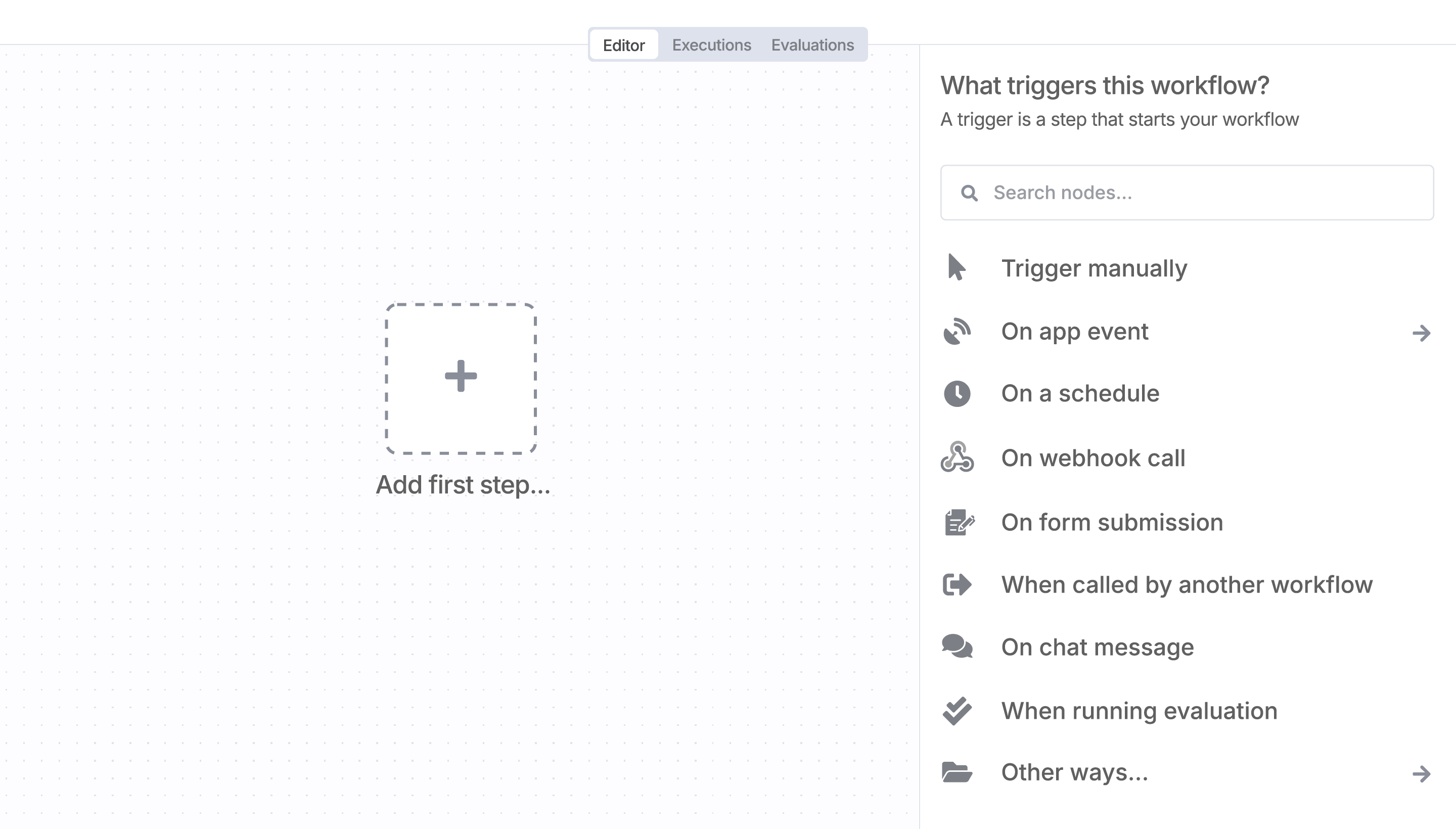
Resources for DataForSEO Labs API
Automate lead management
Using too many marketing tools? n8n lets you orchestrate all your apps into one cohesive, automated workflow.
Supercharge your CRM
Need a more powerful connection with your CRM? n8n lets you go beyond standard integrations offered by popular CRMs!
Save engineering resources
Reduce time spent on customer integrations, engineer faster POCs, keep your customer-specific functionality separate from product all without having to code.
A widely adopted workflow orchestration workspace trusted by technical teams including





