Back to integrations
GitHub and Pushcut connection
Save yourself the work of writing custom integrations for GitHub and Pushcut and use n8n instead. Build adaptable and scalable Development, workflows that work with your technology stack. All within a building experience you will love.




Ways to connect GitHub and Pushcut
Create a new workflow and add the first step
In n8n, click the "Add workflow" button in the Workflows tab to create a new workflow. Add the starting point – a trigger on when your workflow should run: an app event, a schedule, a webhook call, another workflow, an AI chat, or a manual trigger. Sometimes, the HTTP Request node might already serve as your starting point.

Create your own GitHub and Pushcut connection
Create custom GitHub + Pushcut automations by choosing triggers and actions. Nodes come with global operations and settings, as well as app-specific parameters that can be configured. You can also use the HTTP Request node to query data from any app or service with a REST API.
GitHub supported actions
Create
Create a new file in repository
Delete
Delete a file in repository
Edit
Edit a file in repository
Get
Get the data of a single file
List
List contents of a folder
Create
Create a new issue
Create Comment
Create a new comment on an issue
Edit
Edit an issue
Get
Get the data of a single issue
Lock
Lock an issue
Get Repositories
Returns all repositories of an organization
Create
Creates a new release
Delete
Delete a release
Get
Get a release
Get Many
Get many repository releases
Update
Update a release
Get
Get the data of a single repository
Get Issues
Returns issues of a repository
Get License
Returns the contents of the repository's license file, if one is detected
Get Profile
Get the community profile of a repository with metrics, health score, description, license, etc
Get Pull Requests
Returns pull requests of a repository
List Popular Paths
Get the top 10 popular content paths over the last 14 days
List Referrers
Get the top 10 referrering domains over the last 14 days
Create
Creates a new review
Get
Get a review for a pull request
Get Many
Get many reviews for a pull request
Update
Update a review
Get Repositories
Returns the repositories of a user
Get Issues
Returns the issues assigned to the user
Invite
Invites a user to an organization
Disable
Disable a workflow
Dispatch
Dispatch a workflow event
Dispatch and Wait for Completion
Dispatch a workflow event and wait for a webhook to be called before proceeding
Enable
Enable a workflow
Get
Get a workflow
Get Usage
Get the usage of a workflow
List
List workflows
Pushcut supported actions
Send
Send a notification
GitHub and Pushcut connection details
Other integrations with GitHub




Other integrations with Pushcut


GitHub and Pushcut connection guides
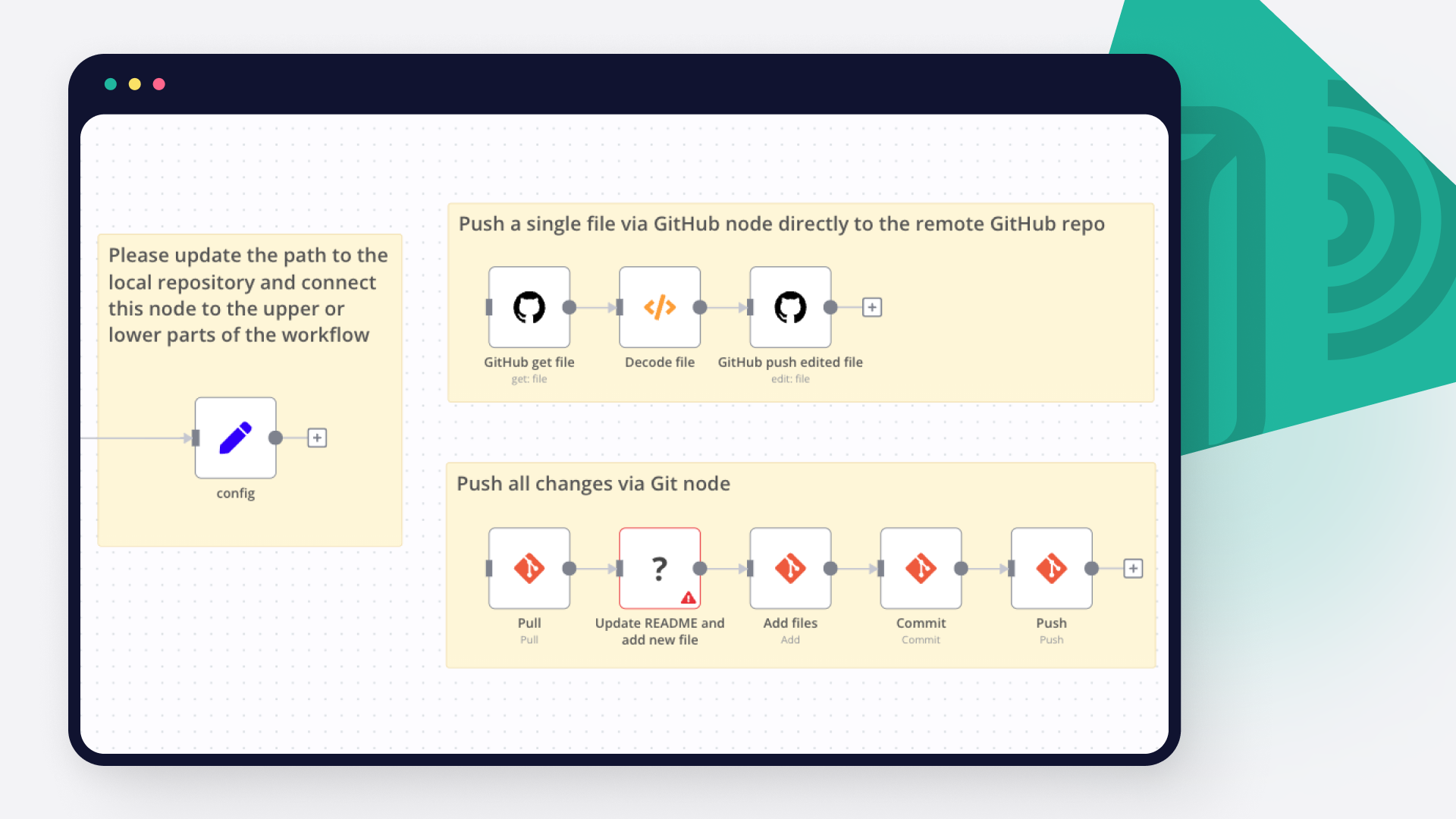
How to push code to GitHub: 3 techniques
Learn how to seamlessly push code into GitHub with these 3 techniques: GitHub command line; GitHub n8n node for remote repositories, n8n Git node for local repos. And grab free n8n workflows for a quick start with GitHub automations!
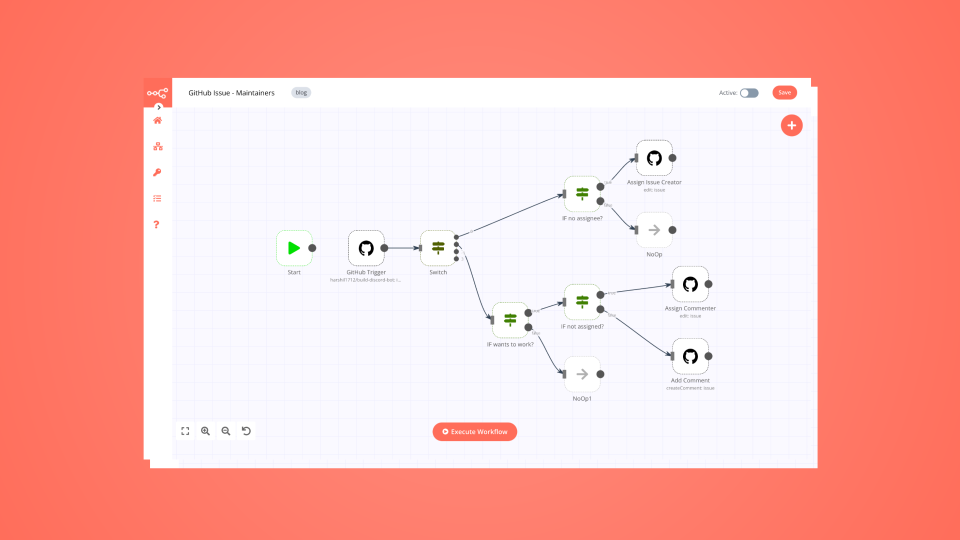
How to automatically manage contributions to open-source projects
Maintainers, this one’s for you: simplify your work by building a no-code workflow that assigns GitHub issues to contributors.
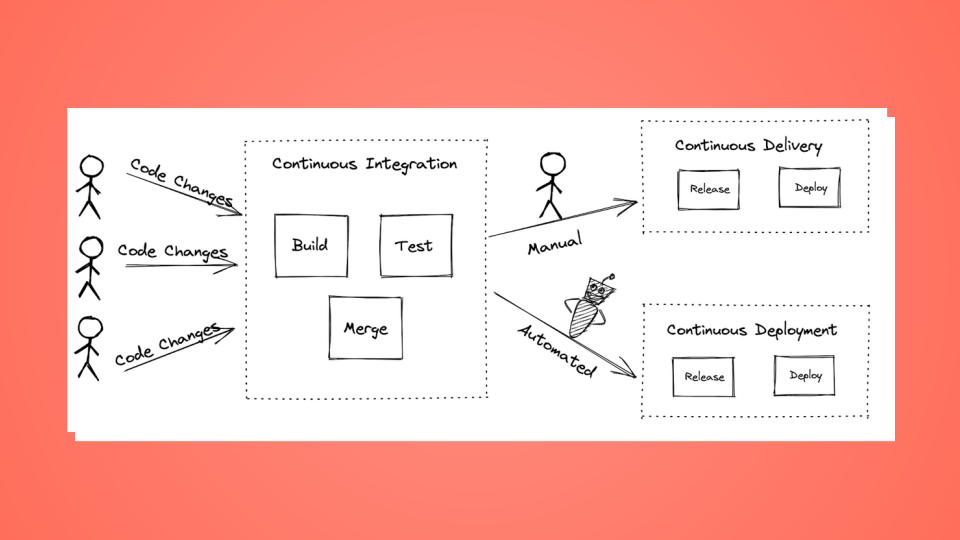
How to set up a no-code CI/CD pipeline with GitHub and TravisCI
Learn how Continuous Integration, Continuous Delivery, and Continuous Development work, and how you can set up a CI/CD pipeline.
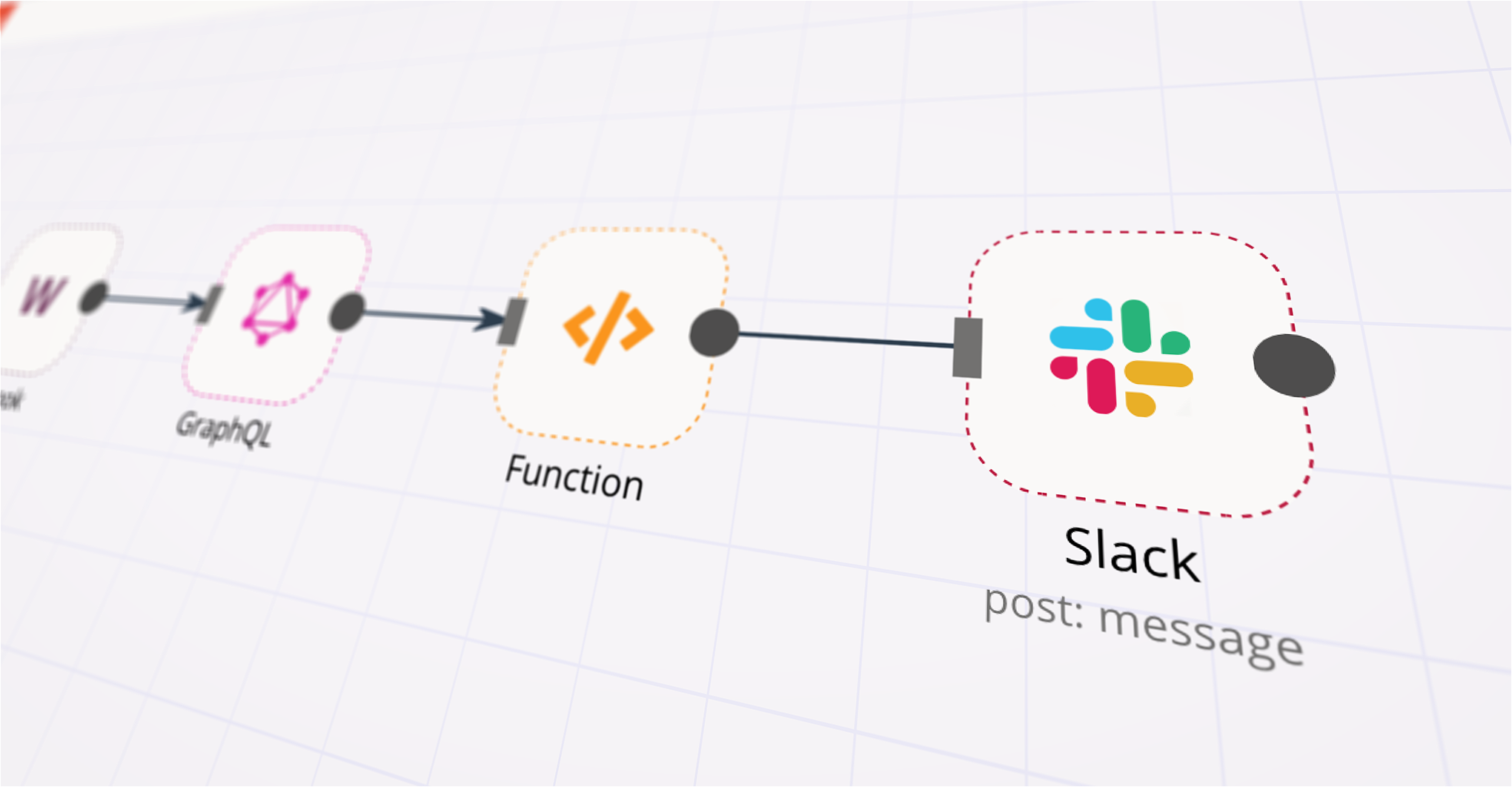
How to automatically give kudos to GitHub contributors
Create a workflow that sends Slack notifications about GitHub contributors to celebrate their valuable contributions.
FAQs
FAQ
Can GitHub work together with Pushcut in n8n Lab?
Can I use GitHub’s API with n8n Lab?
Can I use Pushcut’s API with n8n Lab?
Is n8n Lab a secure option for connecting GitHub with Pushcut?
How do I start building GitHub + Pushcut automation in n8n Lab?
Need help setting up your GitHub and Pushcut connection?
Discover our latest community's recommendations and join the discussions about GitHub and Pushcut connection.

How do I download a binary file using the GitHub node?
DupervalAI
Hi, How am I supposed to download a binary file that I fetch with the “Get a file” feature of the GitHub node? I see the file in my execution but it has a downlad button in it that I need to click manually, it seems. I…

Github Node Error: Could not get the SHA of the file, when try edit file with # or Emoji in name
Семен Буров
Describe the problem/error/question I try to use many templates for N8N Backup to github. For example: Github N8N Backups: How to backup workflows with folder structure instead of tags? And in my case i have an error w…

Github List Files Node - How to change branch?
Piotr Sikora
Describe the problem/error/question I’m using Github List node. I want to list files and directories from specific branch. As you can see above - there is no option to change the branch. Do you have any option to do…

Environements Control
Ammar Aamir
Is environmental control only available for the Enterprise subscription? Is N8N planning to make it available for the community version? This is literally an essential feature.
A widely adopted workflow orchestration workspace trusted by technical teams including





Why use n8n to connect GitHub with Pushcut
Build complex workflows, really fast
